AI Assistant for MediaWiki
Instant answers from your wiki
What is the AI Assistant?
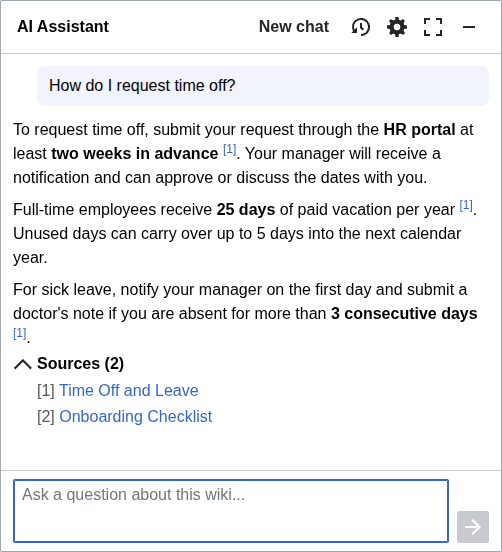
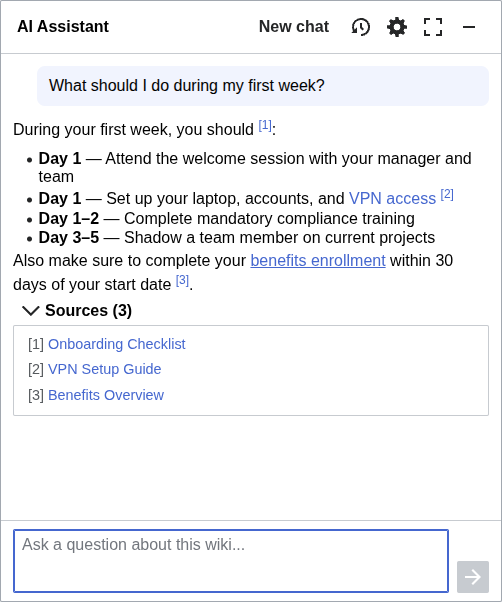
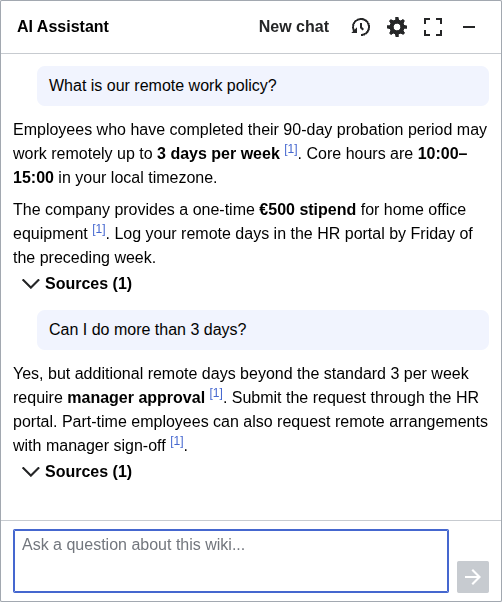
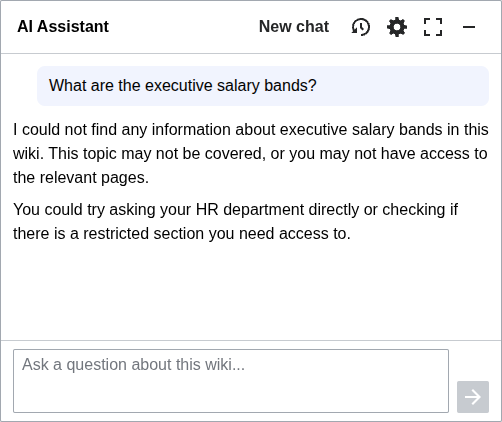
Users ask questions in plain language and get answers grounded in your wiki's content, instead of guessing search terms or manually navigating categories.
Every answer includes links to the source pages, so users can verify the information and explore further. The AI only uses content the current user has access to, keeping confidential pages confidential.
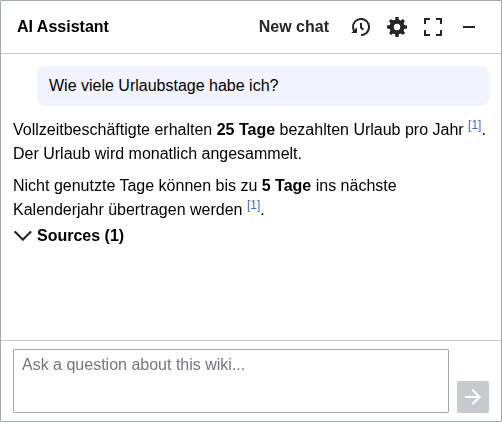
The chatbot is available on every page of the wiki and works in any language, even when the wiki content is in another. It works on mobile and supports keyboard shortcuts for quick access.
See It in Action
Use Cases
Users ask questions in plain language instead of navigating categories or guessing the right search terms.
Newcomers get up to speed by asking questions instead of reading through the entire wiki.
A support channel backed by your wiki, available 24/7.
Help users discover relevant pages they would not have found through traditional search.
Key Features
Every answer includes numbered references linking to the wiki pages it was drawn from.
The assistant reads the text of your uploaded PDFs and Office files and cites them like any page.
Switch between fast answers and a thinking mode that reasons more deeply for harder questions.
The AI only uses content the current user is allowed to see. Confidential pages stay confidential.
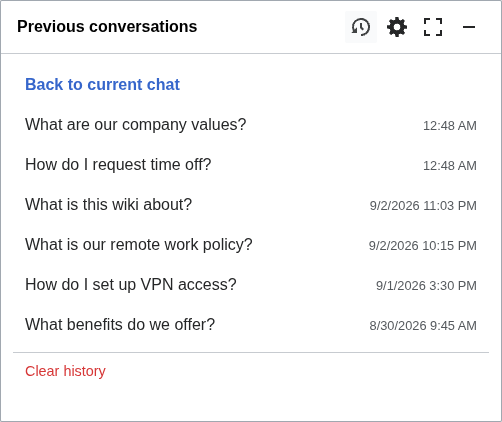
Save, browse, and restore past conversations. Pick up where you left off.
Ask and get answers in your language, even when the wiki content is in another language.
Run AI on Your Terms
Your wiki's content is sensitive, and where it goes matters. The AI Assistant puts you in control. Pick the provider that fits your compliance needs, from the major commercial labs to European providers and models you host yourself.




Choose European providers like Mistral and the Swiss open model Apertus, or point the assistant at sovereign EU clouds such as IONOS, OVHcloud, or Scaleway.
Run models entirely on your own infrastructure. Any OpenAI-compatible endpoint works, so requests never have to leave your network.
Vector search uses an embeddings provider you configure separately: OpenAI, Mistral, Gemini, or a custom endpoint, including self-hosted models like BGE-M3.
Works with Structured Knowledge
Structured data turns your wiki into a knowledge base you can query. The AI Assistant works with these extensions to turn it into one your team can talk to.
 Semantic MediaWiki
Annotate wiki pages with typed properties and query across them. The most widely used structured data extension for MediaWiki.
 Wikibase
The knowledge graph platform behind Wikidata. Linked data and open standards for research, cultural heritage, and enterprise.
A modern take on structured knowledge for MediaWiki. Flexible schemas, typed relations, and a queryable graph. Launching soon.
Configuration
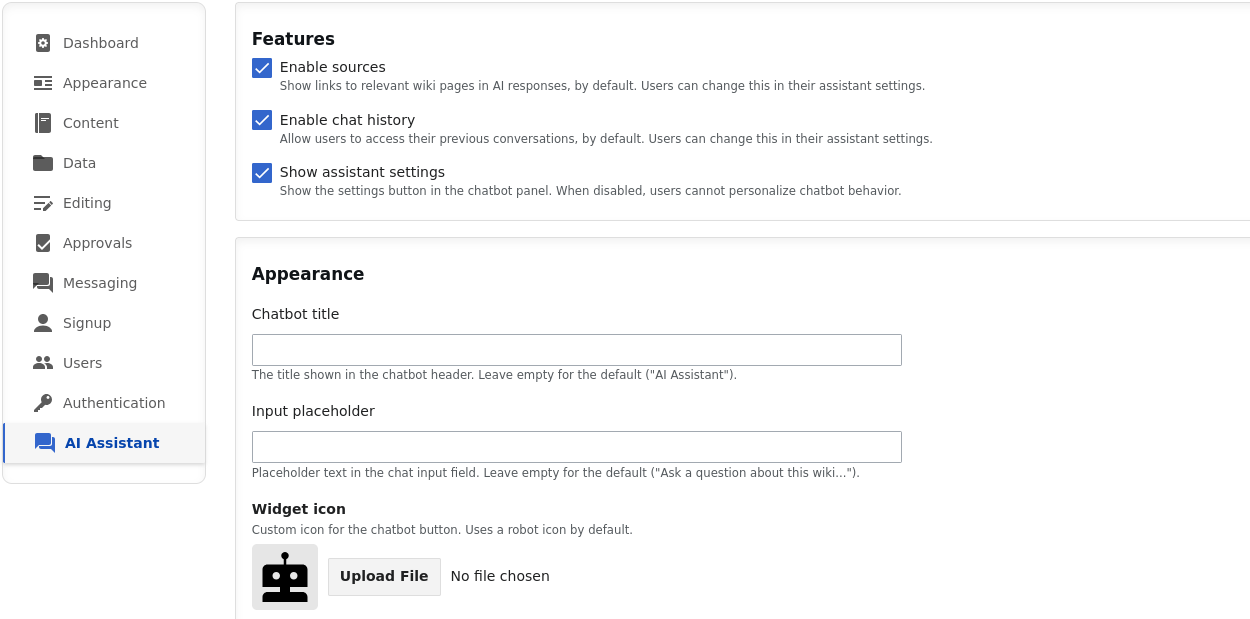
AI Assistant is configured through the admin panel. Wiki administrators choose the AI provider and model, enable thinking mode for deeper answers, customize the widget's appearance, and toggle features like conversation history and source citations.
Advanced Retrieval Pipeline
Good answers start with finding the right content. The AI Assistant finds it with a multi-path, multi-step retrieval pipeline that uses vector search and is deeply integrated with MediaWiki. This ensures the LLM gets the most relevant content to base its answers on.
The pipeline respects MediaWiki permissions, reads the text of your uploaded documents, and finds content even when the question is in another language. You can access it directly via the Developer API.
Developer API
Bring your wiki's knowledge into your own applications. AI Assistant exposes its retrieval and question answering over an API, so you can build on top of the same pipeline.
Send a user's prompt and get back the most relevant wiki content, ready to feed into your own LLM. The retrieval half of RAG, without building the search yourself.
Ask a question over the API and get a complete, cited answer, using the same pipeline that powers the assistant.
Feature Comparison
How AI Assistant compares with other MediaWiki chatbot extensions.
| AI Assistant | Wanda | KZChatbot | AskAI | Chatbot | |
|---|---|---|---|---|---|
| Automatic Content Retrieval AI finds relevant wiki pages on its own |
Manual | ||||
| Source Citations Answers link back to wiki pages |
|||||
| Floating Chat Widget Available on every wiki page |
Special page | Special page | |||
| Permission-Aware Respects per-page read permissions |
|||||
| Conversation History Save and restore past conversations |
|||||
| Cross-Language Q&A Ask in one language, get answers from another |
|||||
| Admin Panel Configuration Configure via GUI, no config files needed |
Frequently Asked Questions
Is AI Assistant included with Professional Wiki hosting?
AI Assistant is available as an add-on to our managed MediaWiki hosting and is included in enterprise plans. We set it up and maintain it for you.
Can I run AI Assistant on a self-hosted wiki?
Yes. We deploy AI Assistant on self-hosted MediaWiki installations. We work within your processes and with your team, or handle the entire deployment ourselves if you prefer.
Where does my wiki content go?
Your content goes only to the LLM and embeddings providers you configure. You can choose Anthropic, OpenAI, Google Gemini, Mistral, Apertus, or any OpenAI-compatible endpoint, including models on your own infrastructure. Both retrieval and generation can run entirely on self-hosted or EU-based systems.
Does AI Assistant respect page permissions?
Yes. Answers only use content the asking user is allowed to read. Users with different permissions can get different answers to the same question, and confidential pages stay confidential.
Which MediaWiki versions are supported?
MediaWiki 1.43 and later.
Does it answer from uploaded documents?
Yes. The text of uploaded files, including PDFs and Office documents, is retrieved and cited in answers, just like wiki pages.
Which languages does it support?
You can ask in any language and get answers in that language, even when the wiki content is written in another one. The interface itself is internationalized and available in all common languages.
How long does setup take?
On our managed hosting, we enable AI Assistant on your wiki within one day, with no setup work on your side. For self-hosted wikis, the timeline depends on your environment and processes.
Where can I try AI Assistant?
Try it on the public test wiki or the Maps extension wiki, or watch the demo video on this page.
Get Started
AI Assistant comes fully managed with our dedicated MediaWiki hosting, which includes vector search and Elasticsearch for the best results. Get in touch to enable it on your wiki.
Need Something Custom?
We build custom AI solutions for MediaWiki: specialized chatbots, automated content generation, and integrations with your existing tools. AI Assistant can serve as a starting point that we extend to fit your needs.
Explore More
Give AI tools like Claude and Cursor direct access to your wiki via the Model Context Protocol.
Collaborative knowledge management on MediaWiki. Graphs, open standards, AI-ready.
Explore our products and tools for MediaWiki, including hosting, AI, and open-source extensions.